Flamma Languages – Learn Spanish and Catalan Online

Do you need help during the booking? Click here

Step 1: Categories

First, select the “Category” that you want.

Click on it and proceed to choose what service (type of lesson) you want to take.

Inside each category, you will have different “Services” based on your level. Please, take the “Level Test” on the homepage to know which one to choose

Select your level

Once inside the level, you can choose what specific service you want. Remember, the hours of the “Lessons Pack” are cheaper in comparison with a single class

On the example before, we chose a “Lessons Pack”. With the Lessons Pack we cannot choose the timeslots for our lessons. In order to do so, you need to set them up on the “Manage your bookings” page. However, if you book a “Single Class” you can choose the available timeslot straight away

Make sure to write your information details and click on “Book now

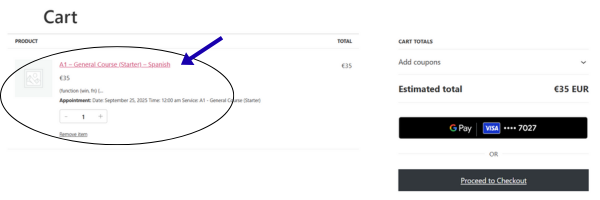
For the “Payment” Check that the items in your “Cart” are correct. You can delete them or add more by doing the booking process again and adding other services

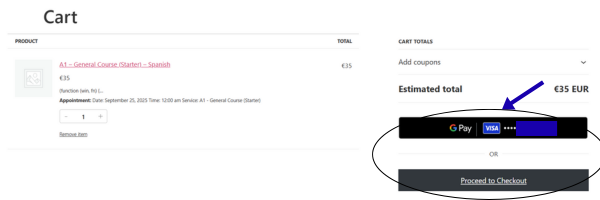
Finally, click on your desired payment method and complete the transaction. We accept many currencies: EUR, JPY, USD, GBP…

Once you have completed the process, you will receive an email confirmation with your booking.

Thank you very much and see you in class!